The Warehouse Management System we run our own freight company on.
Receiving, pallets, freight, rework, container loading, PO boxes and billing in one system — with a login for every customer so they can see their own cargo.
Built for freight forwarders, 3PLs and warehouse operators.
IW-CARGO
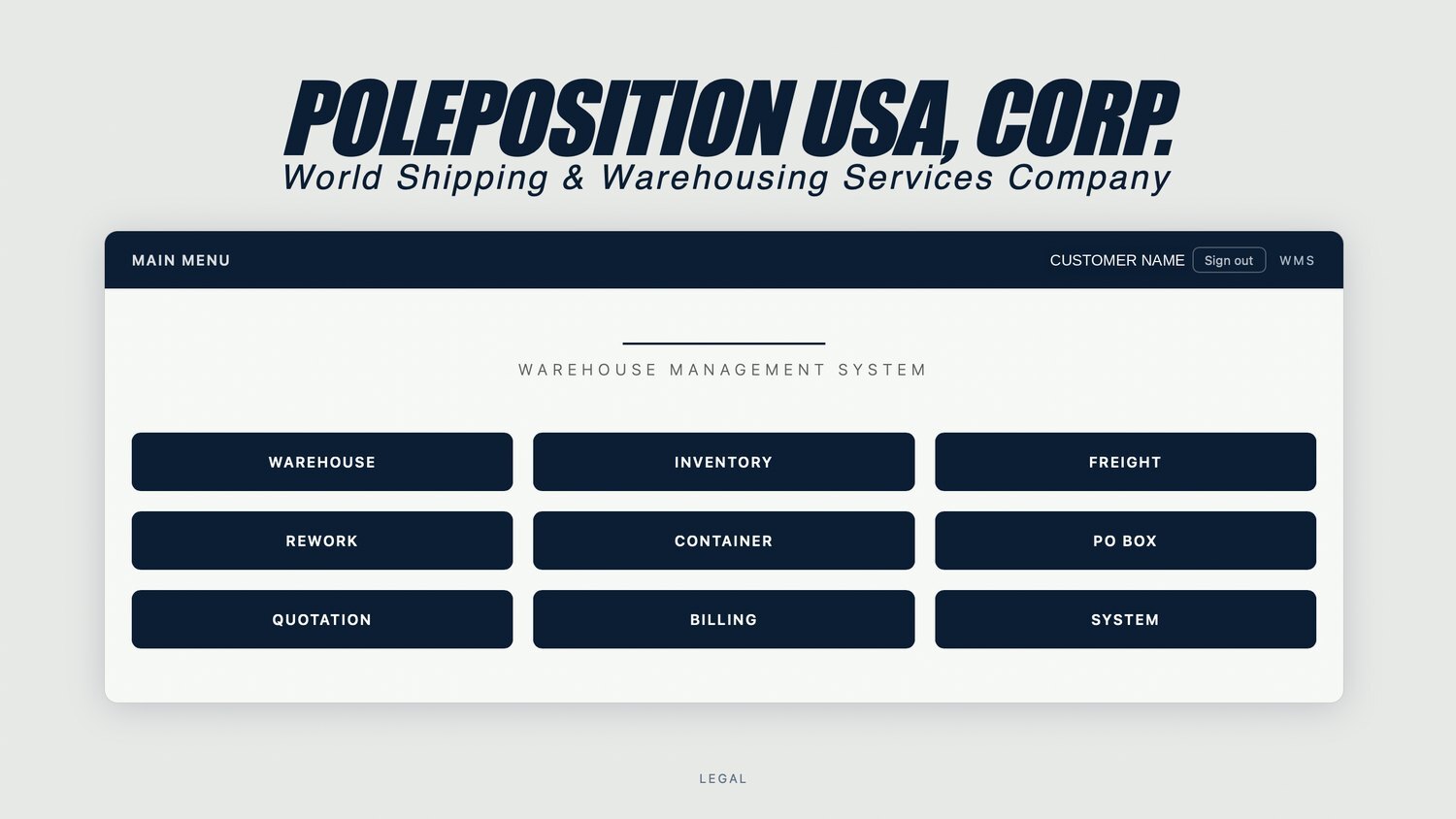
Six modules your staff live in every day. Three more for higher level.
This is the real thing, with sample cargo in it. Click through the pallets on hand, the stock on the floor, a consolidated air shipment, a rework job, a container manifest and a PO box log.
Access levels
L1ADMINFull control
All operational modules
Billing and invoicing
System and access
Manage clients and portal accounts
L2OPERATORDaily operation
Warehouse, Inventory, Freight
Rework, Containers, PO Box
Billing
System and access
L3CUSTOMERPortal monitoring
Their own shipments and cargo
Ledger, PO Box, documents
Any other customer's data
Staff modules, Billing, System
Receive cargo, pallet by pallet.
Dimensions, weight, photos
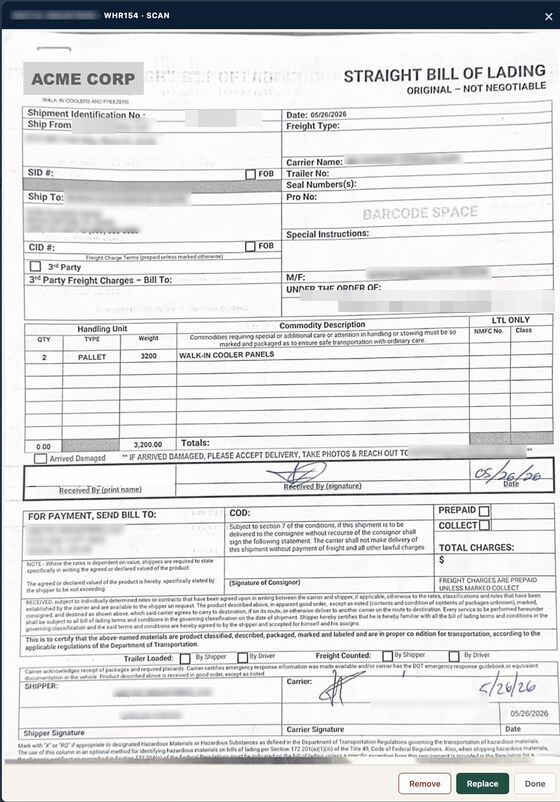
Delivery order scan
4×6 barcode labels
What is on the floor, and whose.
Stock by customer
Location and aging
Scan to locate
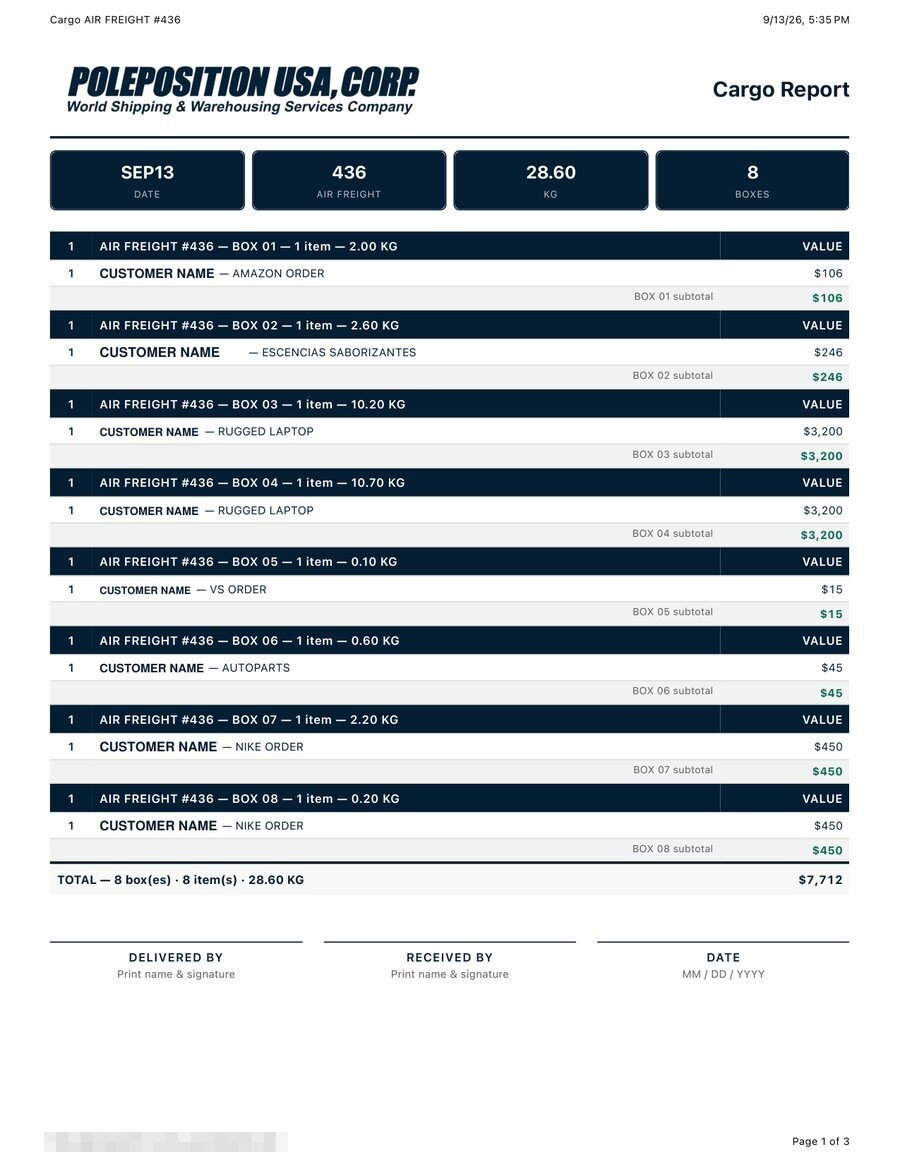
Air and ocean, box by box.
Consolidations by box
Several customers per shipment
Cargo report PDF
Repack, relabel, test, palletize.
Item checklist with units
Before and after photos
Customer-requested jobs
Build the load, print the manifest.
Pallet list with CBM
Reference and notes
Loading manifest PDF
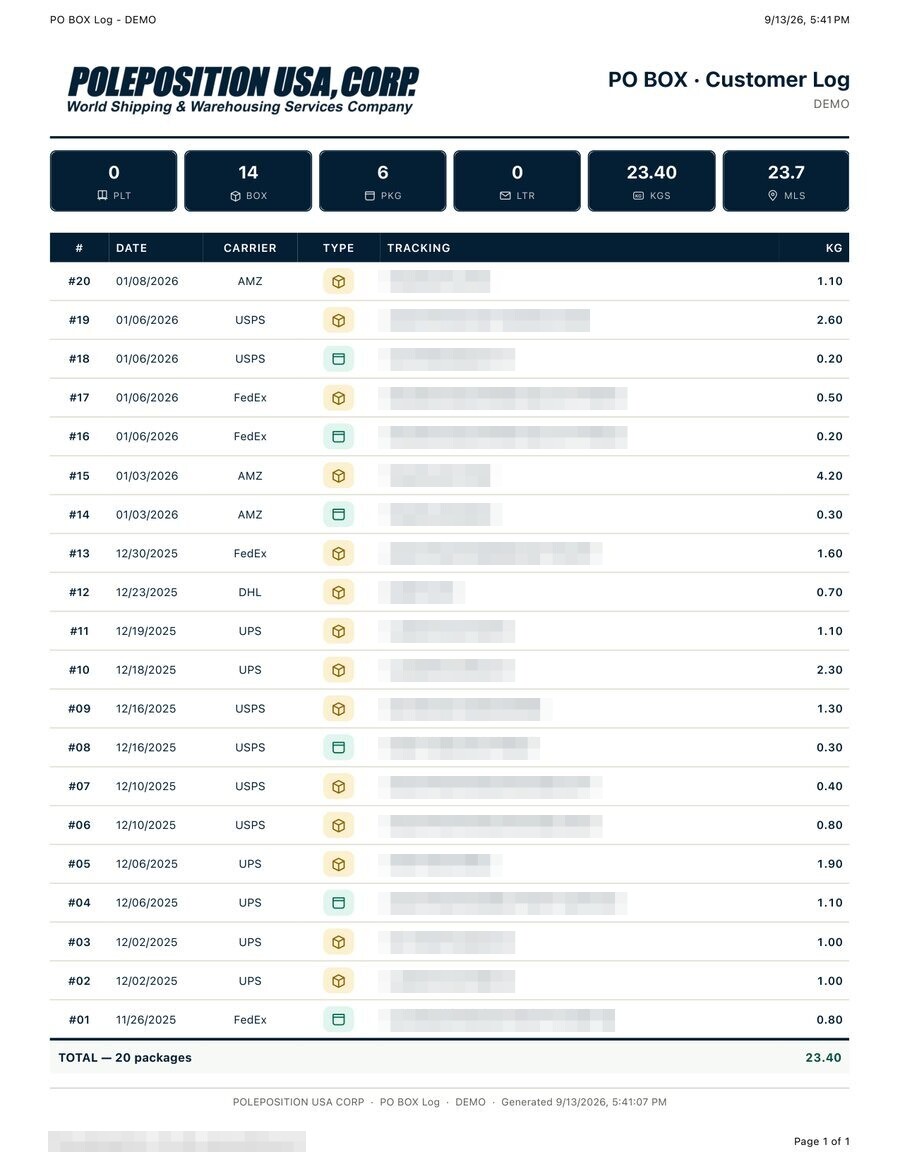
Parcel intake at your address.
Package log by type
Photo on arrival
Delivery distance and mileage
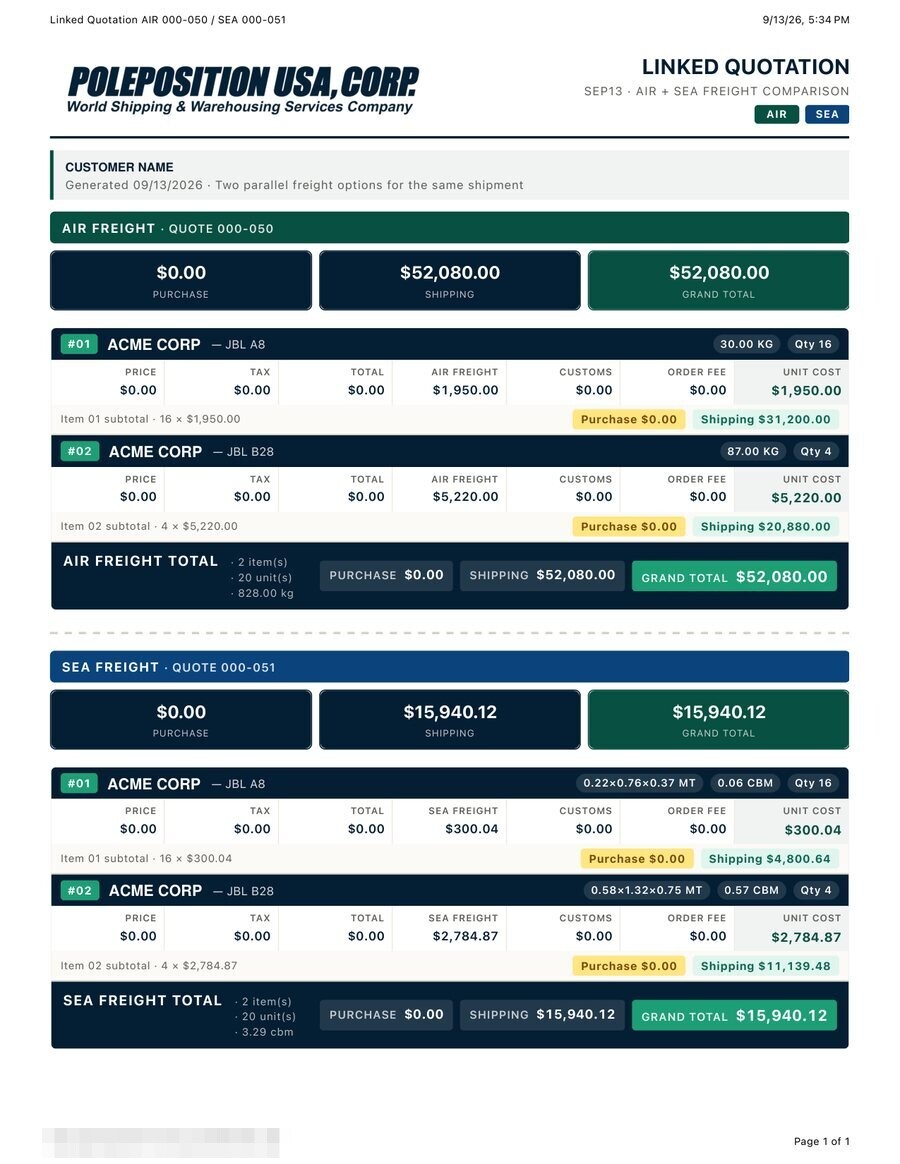
Price a move before it happens.
Reusable rate lines
Priced before the job starts
Customer-ready PDF
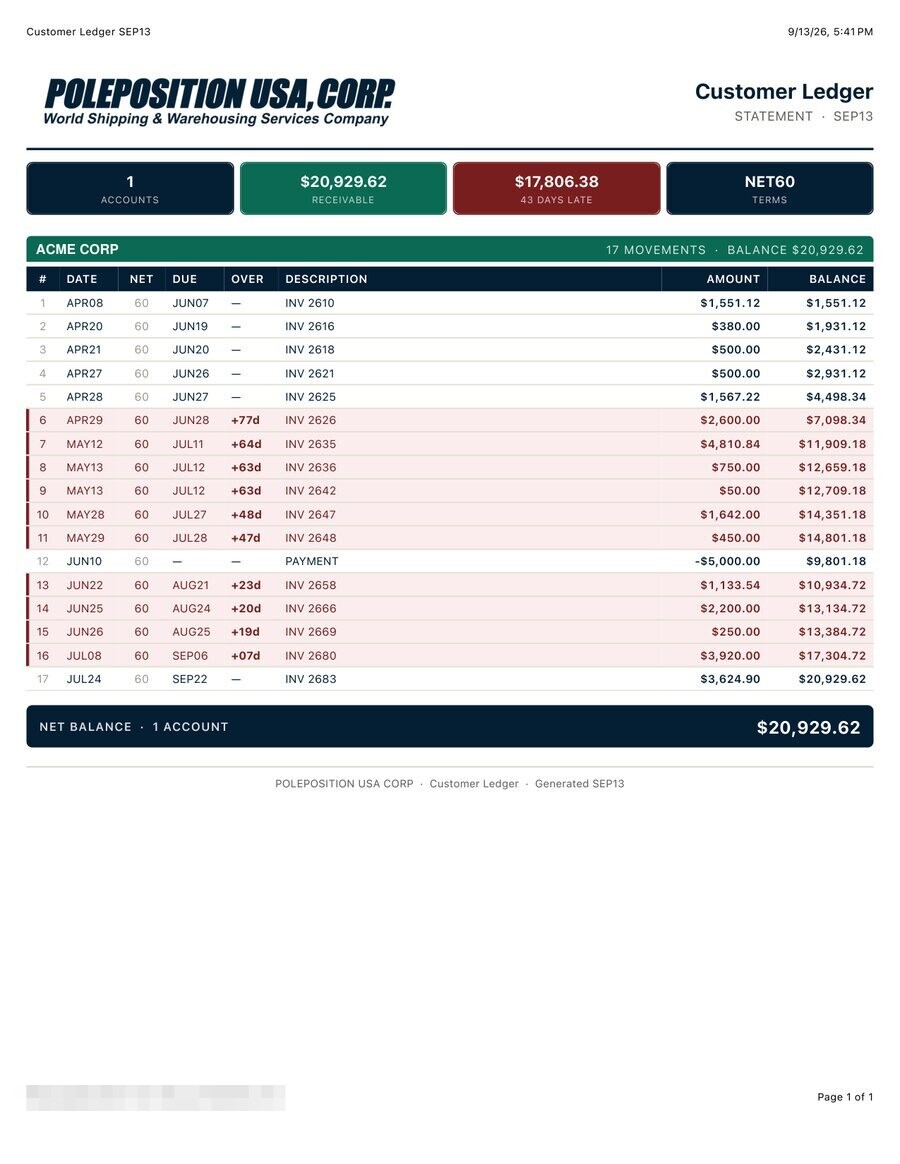
Charges build as work happens.
Rates per customer
Ledger with NET 0/30/60
Statements and invoices
Clients, rates and portal accounts.
Client records and aliases
Portal accounts and approvals
Customer view
Nine modules, one system
Receiving through invoicing. No bolt-ons, no second login for your staff.
Customers serve themselves
They see their pallets, boxes, containers and statements. Your phone stops ringing.
Every document is a PDF
Receipts, cargo reports, manifests and statements, with the photos inside them.
Your own instance
Your database, your domain, your logo. Nothing shared with another forwarder.
BUILT ON THE FLOOR
Written in a warehouse, not in a product meeting.
IW-Cargo started as the internal system of a Miami AV freight forwarder — broadcast gear, pro audio, DJ equipment and instruments heading to Latin America. Every screen exists because somebody on the floor needed it that week.
That shows in the places a generic WMS gets wrong. Handling is billed once per receipt, not once per pallet. Storage, in, out and handling are four separate charges you can price separately for each customer. A shipment carrying four customers prints four different reports.
Weights carry two decimals everywhere, because a 20.4 lb box is not a 21 lb box on an invoice
Pallet photos and scanned delivery orders travel with the record into the PDF
Scan a pallet barcode with a phone and land on the record, from any module
Partial releases are normal: skids on one receipt leave on different days
Operators work in English or Spanish, in pounds or kilos
MODULES
Nine modules that already know about each other.
A pallet received on Monday is the same record that gets loaded into a container, billed on a statement and shown to the customer in their portal. Nothing is re-keyed.
CUSTOMER PORTAL
Your customers stop emailing to ask where their cargo is.
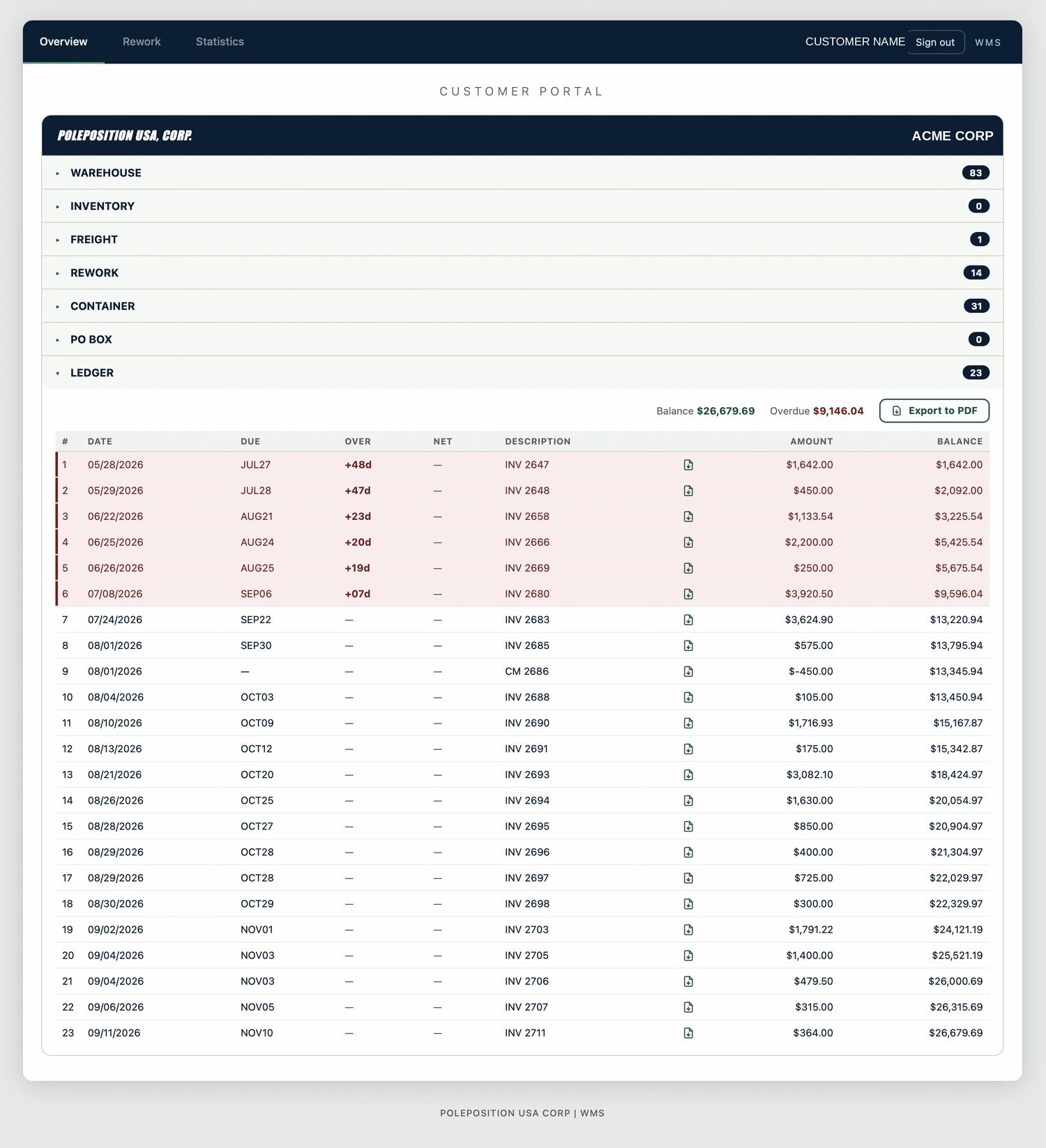
Every customer gets a login showing exactly what your staff see about their account, and nothing about anyone else’s.
Warehouse, freight, containers, rework, PO box and ledger, scoped to their company
They download their own receipts, manifests and statements
They request rework jobs; your staff triage them inside the WMS
They sign up themselves, and the account only opens once your staff approve it
Hashed passwords, lockout after repeated failures, reset by email
ON THE FLOOR
The phone in your hand is the scanner.
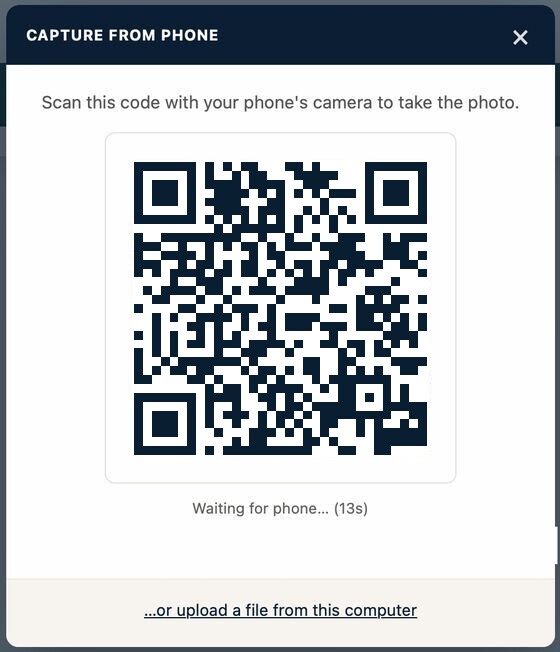
Receiving staff scan pallet barcodes with a phone camera and land on the record. Documents are captured by pointing a phone at them: scan the code on the desktop screen and the photos arrive in the right job as a PDF, without anyone emailing themselves a picture.
Barcode scanning in any phone browser, no app to install
Desktop-to-phone handoff for document capture
Signature and receipt photo for field deliveries
A remote app for staff working away from the warehouse, scoped to their own jobs
Sessions lock after inactivity on shared devices
The desktop hands the capture action to the phone. Photos / Tracking numbers / Barcodes / Documents — all captured from any phone.The signed delivery order, scanned into the receipt
PAPER THAT LEAVES THE BUILDING
Documents your customers keep.
Every module exports a finished PDF with your logo on it: warehouse receipt, cargo report, loading manifest, rework job, PO box log, account statement. Photos and scanned documents are embedded in the file, not attached beside it.
The same document prints from the staff screen and from the customer portal, so the copy in your customer’s inbox matches the one in your files.
Cargo reportLinked quotation, air against seaCustomer ledgerPO box log
THE REMOTE APP
Your agent in-country, working from a phone.
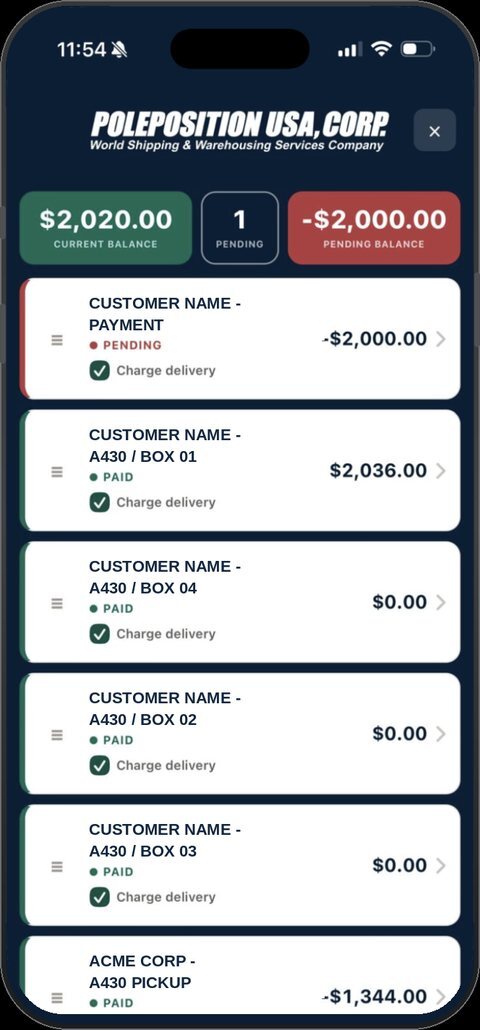
Whoever handles the last mile opens the app and sees only their own round: what is being delivered, who it belongs to and what is still owed on it.
Balances at the top: collected, pending, and what is still outstanding
Paid or pending marked at the door, not typed up that evening
The delivery charge applied on the spot, per stop
Signature and receipt photo captured with the same phone
Runs in the browser on the agent’s own device, in their own country
Everything lands back in the WMS against the right shipment
WMS | Remote
RUNNING IT
Your instance, your database, your domain.
IW-Cargo is deployed for your company alone, so your customer list never sits next to a competitor’s.
Node and MongoDB on Microsoft Azure, in the region you choose
Staff sign in with Microsoft Entra ID, following your existing directory
Served on your own subdomain, with your logo on every document
Photos and scans stored in your own cloud storage
You can export your data whenever you want. It is yours
HOW WE START
Small, then real.
Walkthrough
An hour on a call. We open the working system and show you what it can do. It won’t take long to convince you.
Pilot
Your instance,your logo, one warehouse and a handful of customers on the portal. Real receipts.
Cutover
We import your customer list and open balances, train your staff, and switch the spreadsheets off.
BOOK A MEETING
Show us a shipment and we’ll show you the system.
Tell us roughly how you work: how many pallets, how many customers, where the cargo goes. We’ll run that shape through IW-Cargo on the call instead of showing slides.
¿Preferís escribir en español? Escribinos, sin problema.